

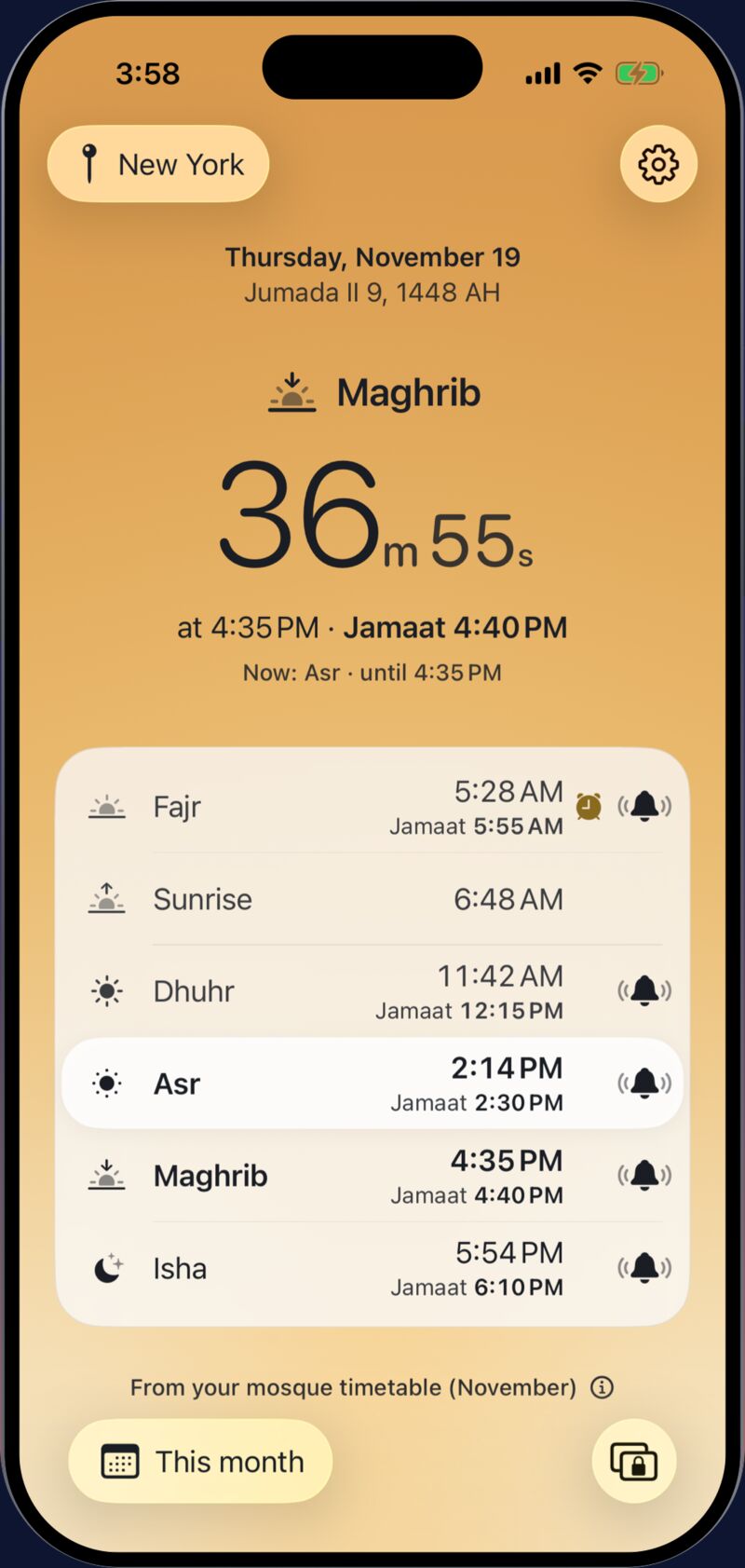

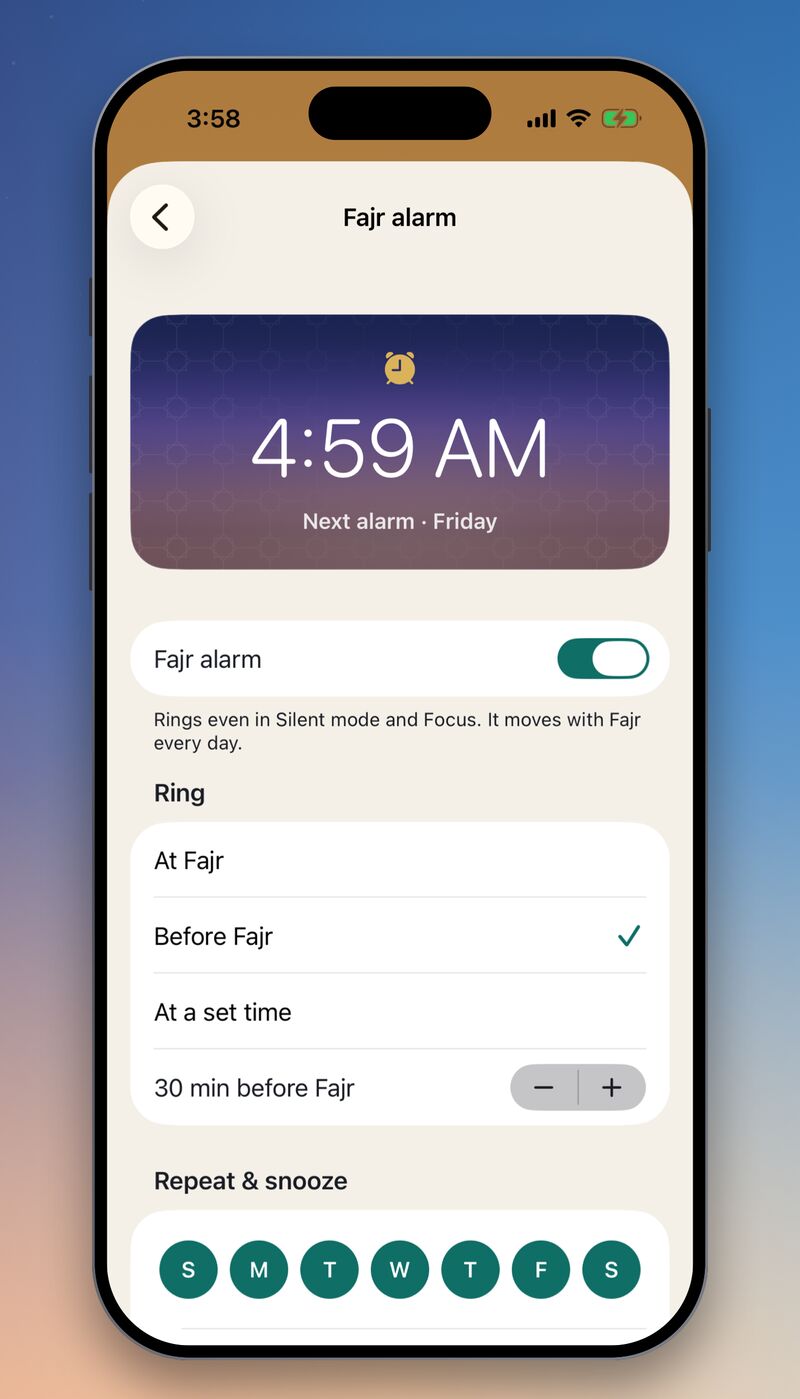
Wake up for Fajr
A Fajr alarm that rings like a real alarm, even when your iPhone is on Silent.
In Ramadan, set a suhoor alarm the same way.
Match your mosque
No timetable? Type in today's times from the mosque board and Nidaly adjusts its settings to fit them.
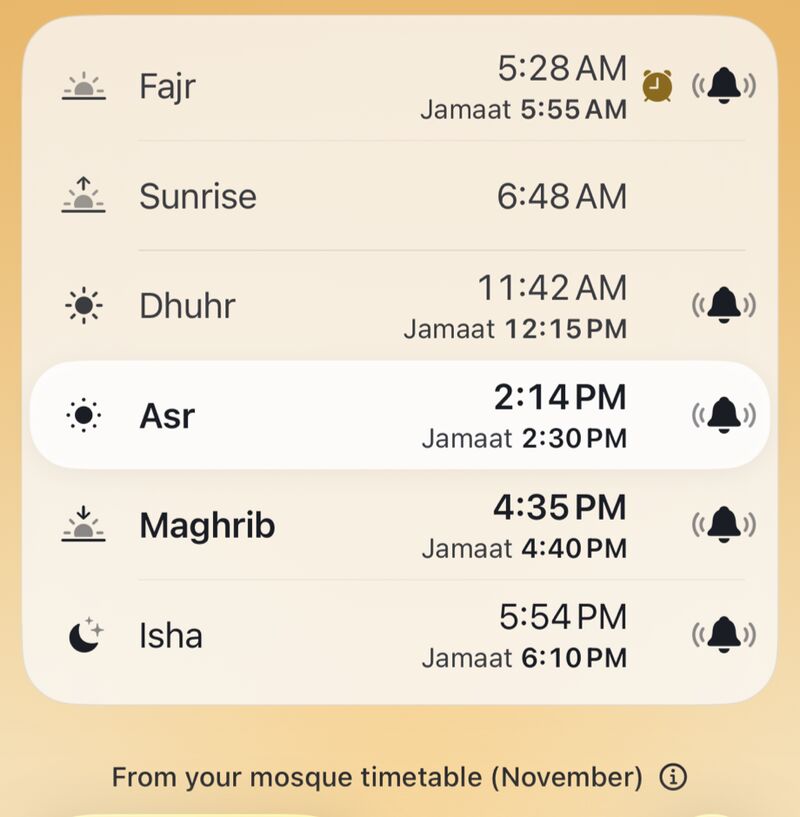
Add jamaat (iqamah) times: a fixed time, or a rule like “10 minutes after the adhan”. Set your Jumu'ah time too.
Share your mosque's settings with family as a link or QR code, so everyone sees the same times.
Nidaly picks the calculation method most used in your country and tells you which one and why.
Never miss an adhan
An adhan alert for each prayer: with sound, silent, or off. Add a reminder before the prayer or before jamaat.
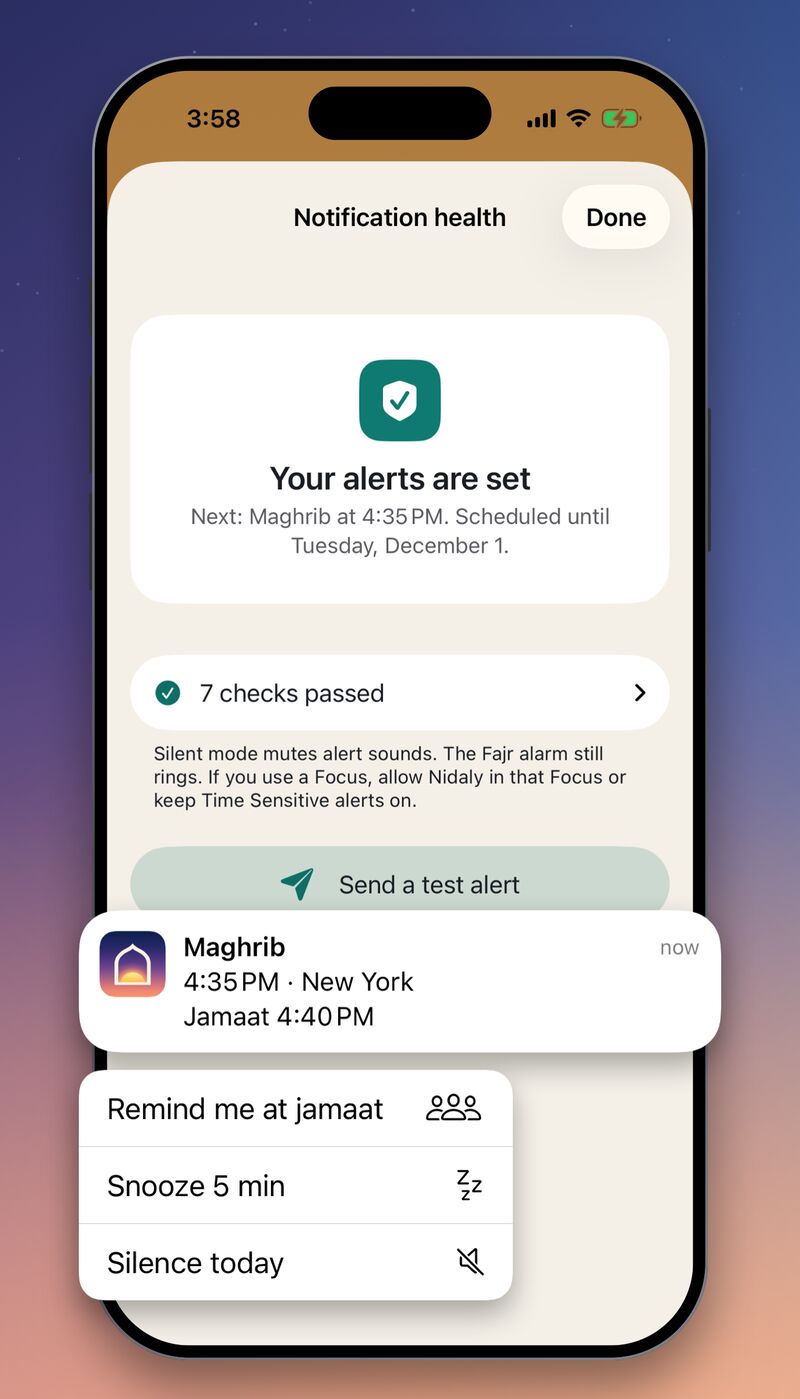
A notification health screen tells you if anything could stop an alert, and how to fix it.
Touch and hold an adhan alert to get a reminder at jamaat, snooze it for 5 minutes, or silence the adhan for today.
Scan your mosque's timetable
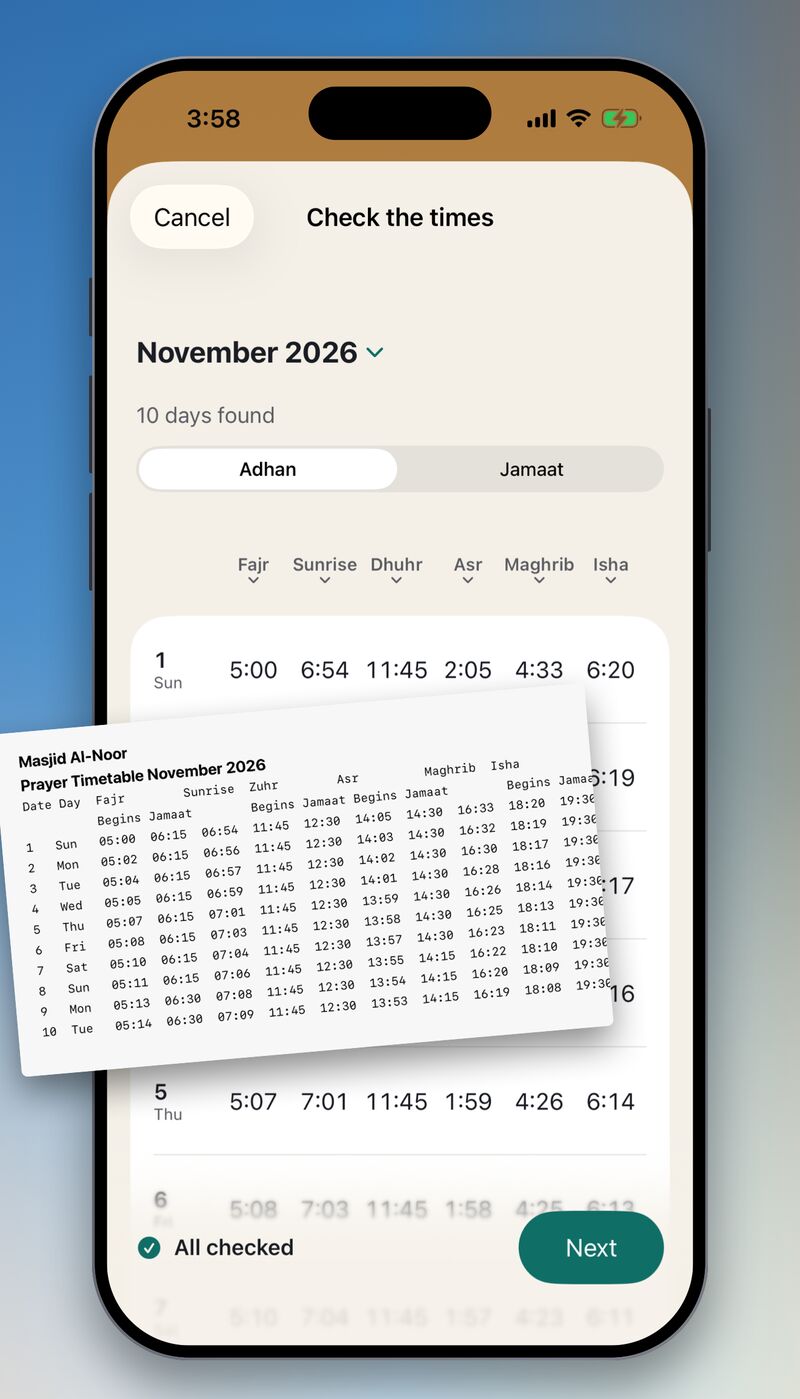
Take a photo of your mosque's printed timetable, or share a PDF or a WhatsApp screenshot to Nidaly. It reads the times on your iPhone, shows them to you to check, and then uses them as printed.
Rows it can't read are marked so you can fix them.
Your mosque's own adhan
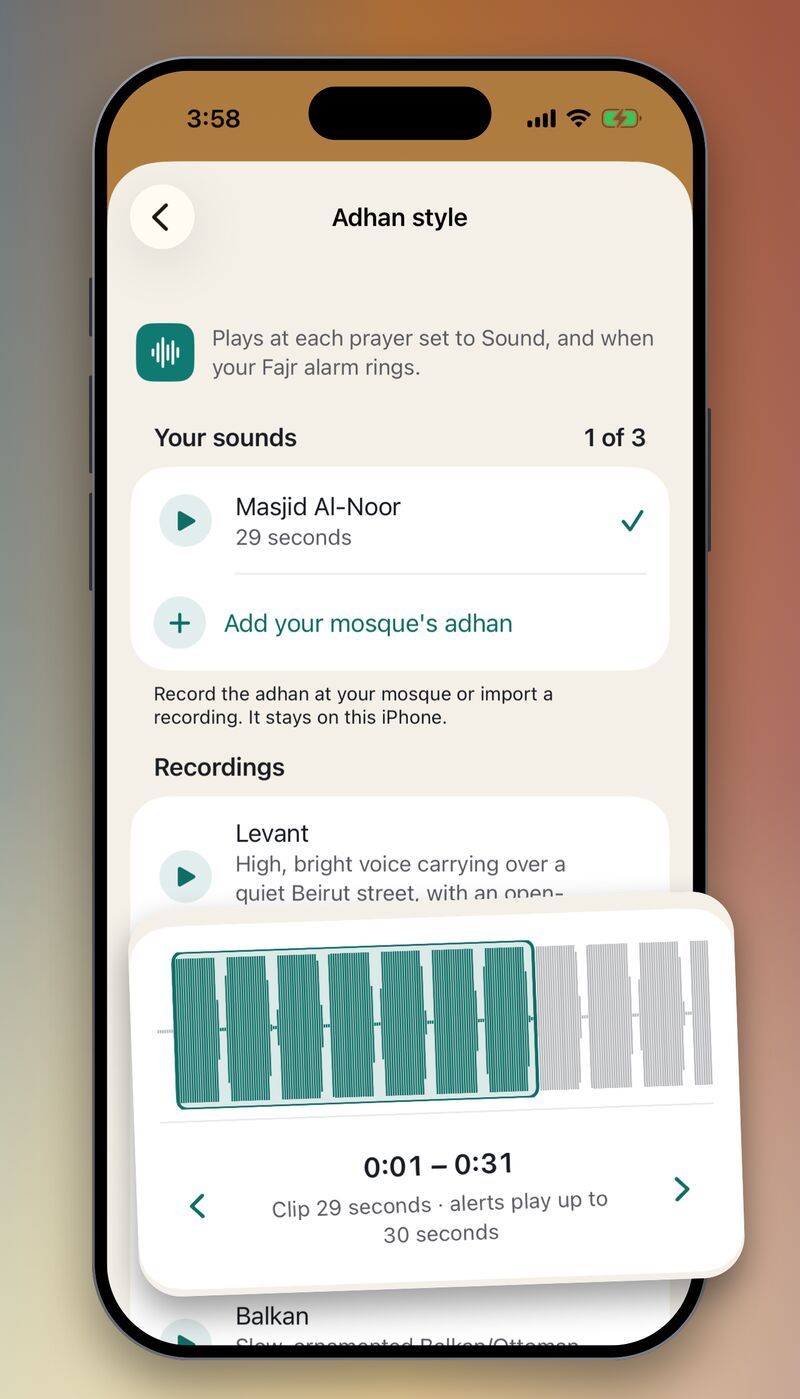
Record the adhan at your mosque, choose an audio file, or share a voice note to Nidaly.
It is trimmed to fit an alert, plays for your adhan alerts and the Fajr alarm, and stays on your iPhone.
Widgets and Lock Screen
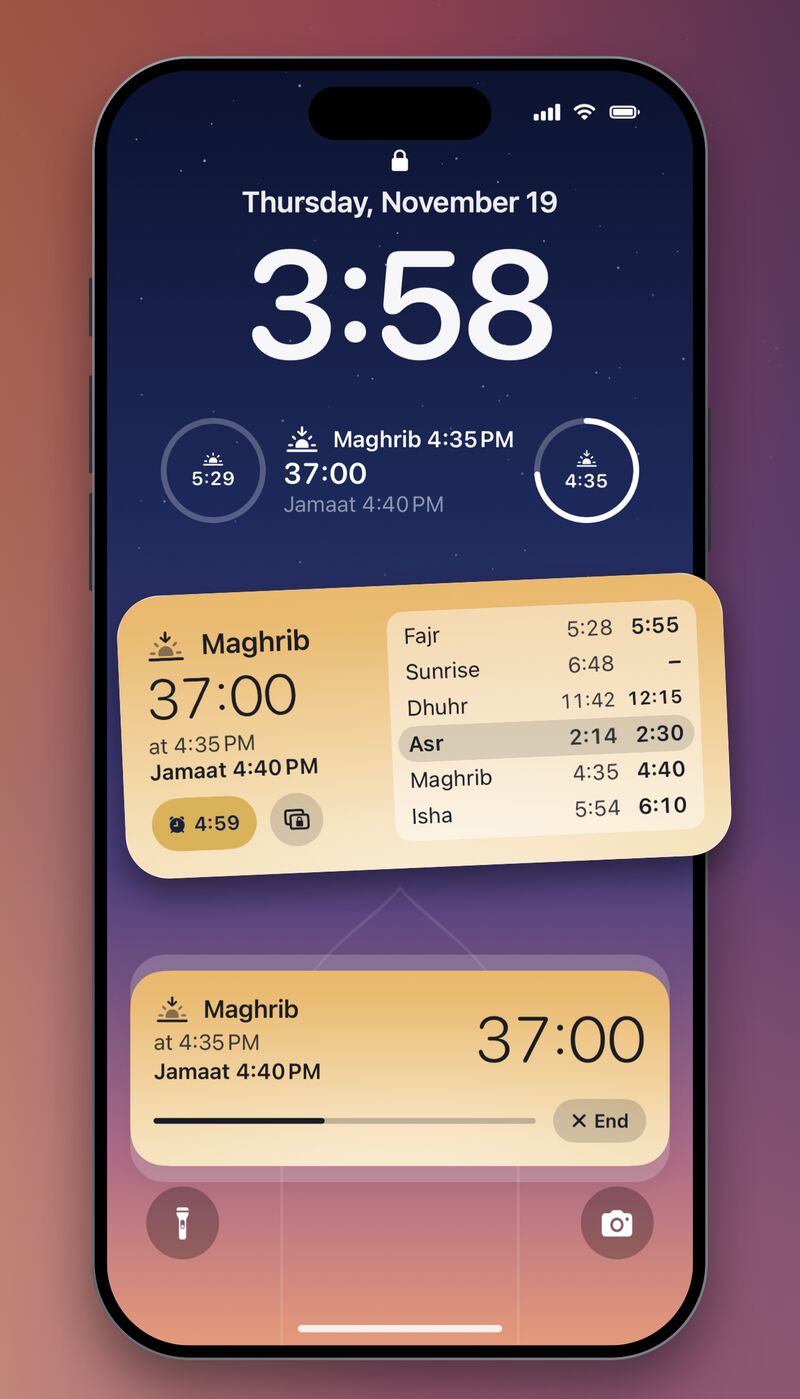
The next prayer and a countdown on the Lock Screen, in widgets, and as a Live Activity in the Dynamic Island.
A Control Center control, and Siri: “When is Asr in Nidaly?”
The month at a glance
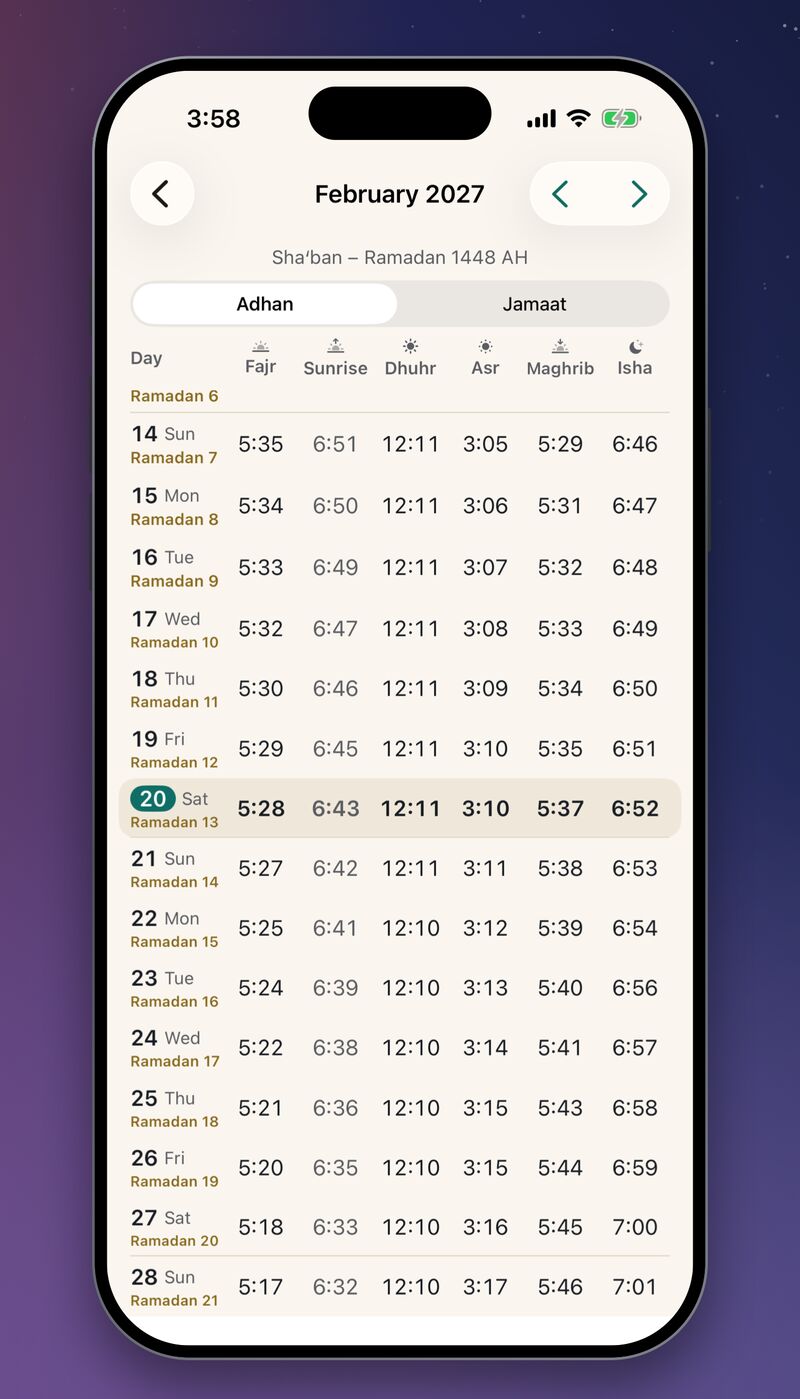
A monthly timetable and the Hijri date, with a one-day adjustment for your local moon sighting.
Ramadan: iftar and suhoor countdowns.
Eight languages
Nidaly follows your iPhone's language, with right-to-left layouts for Arabic and Urdu.
This website speaks them too.
Data Not Collected
No account, no ads, no tracking. Your location and settings stay on your iPhone, and Nidaly sends no data anywhere.
This website keeps the same promise: no analytics, no trackers and no cookies.
- No ads
- No account
- No tracking
- Every feature free
Questions
Is Nidaly really free?
Yes. Every feature is free, with no ads, no in-app purchases and no account.
The times don't match my mosque. What can I do?
Type today's times from the mosque board and Nidaly works out the settings that fit, or import your mosque's timetable to use its times exactly as printed. You can also change the method or move any prayer by a few minutes. When in doubt, follow your local mosque.
Will the Fajr alarm ring on Silent?
Yes. Silent mode mutes alert sounds, but the Fajr alarm is a real alarm and still rings, in a Focus too. Turn it on in Nidaly and allow alarms when iOS asks.
My adhan alerts don't arrive. Why?
Open Notification health in Nidaly's settings. It checks everything that can stop an alert, such as a Focus or Low Power Mode, shows how to fix each one, and can send you a test alert.
Does the photo of my timetable leave my iPhone?
No. Nidaly reads the timetable on your iPhone and shows you every row to check before it uses them. Nothing is uploaded, and there is no account or server.
Which iPhones can run Nidaly?
Any iPhone with iOS 26 or later. On iOS 26.1 or later, the Fajr alarm can also play your mosque's own adhan.